Forward ticket comments to people outside your help desk.
Sendrel is a Zendesk app for the moments a ticket needs a supplier, a warehouse, or anyone else without a seat. Send the relevant comments from the ticket sidebar. Replies come back into the ticket as internal notes.
The problem
The exchange leaves the ticket, and never comes back.
An agent needs a supplier's answer. So they paste the ticket into their personal email and wait. The reply lands in one inbox, invisible to the rest of the team. The next agent starts from zero.
Sendrel keeps that exchange inside the ticket, where everyone can see it.
How it works
Four steps, from the ticket sidebar.
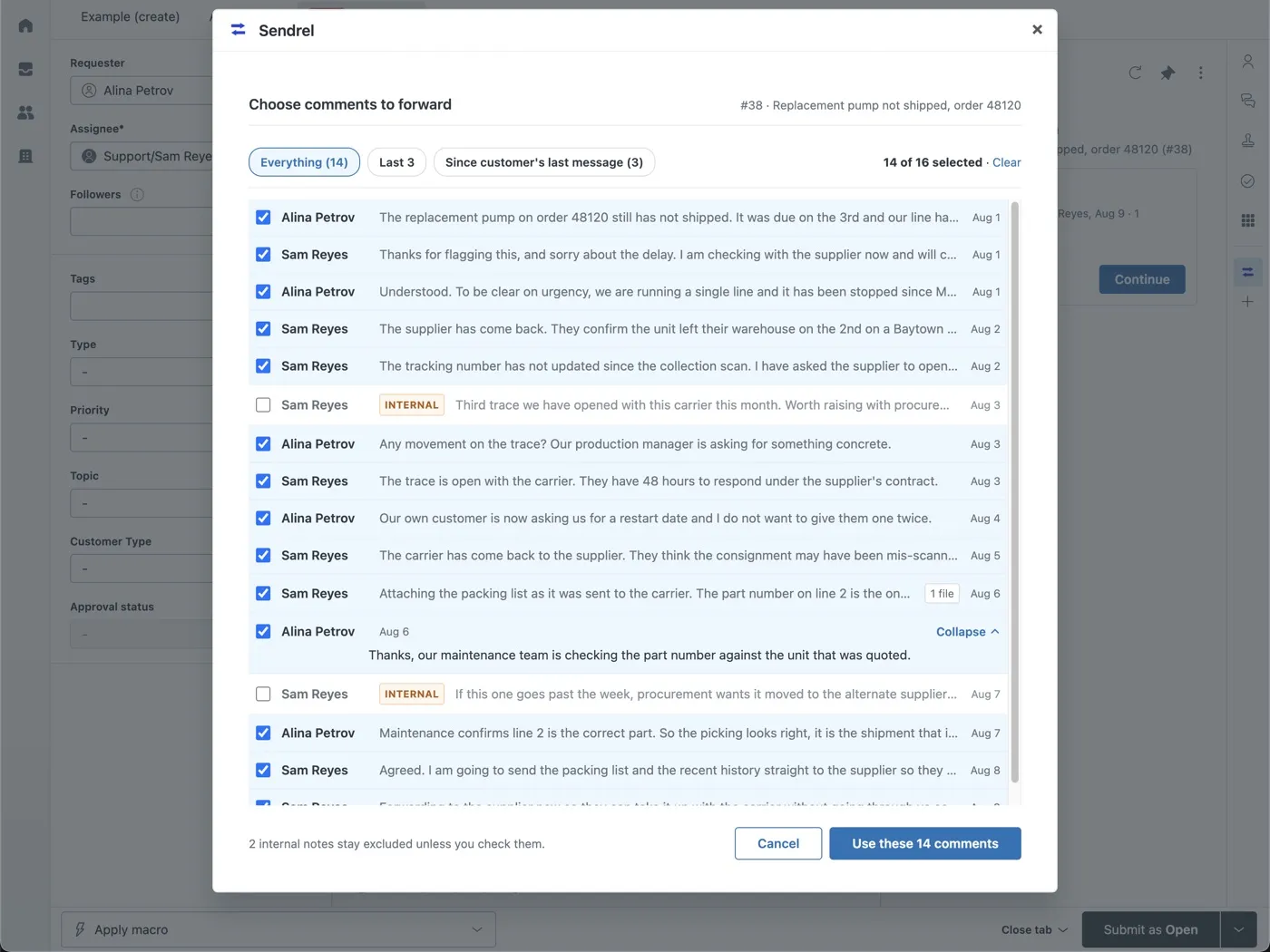
Pick the comments
Choose which comments to forward with checkboxes. Internal notes are marked and excluded by default.
Choose a recipient
Pick from the shared address book, or type any address.
Summarize, if you want
Replace the raw thread with an AI draft that you edit before it goes out. Opt in, per send.
Send
Attachments ride along. When the recipient replies, the reply appears in the ticket as an internal note.
Why Sendrel
Forwarding built for support teams.
Forward only the relevant part.
Pick individual comments, not the whole thread. A supplier does not need to read the customer's billing complaint.
A shared address book.
Contacts are saved for the whole account. The second person to email the same warehouse does not retype the address.
An editable AI summary.
Long threads become a short factual summary. It is opt in, and the agent reads and edits the text before anything is sent.
Replies come back automatically.
Not into a personal inbox. Into the ticket, as an internal note, visible to the whole team.
Pricing
One plan. Every feature included.
$5per agent, per month
- One plan. Every feature included.
- 14 day free trial.
- Billed through Zendesk. No separate invoice, no card entry.